Language: Deutsch · English
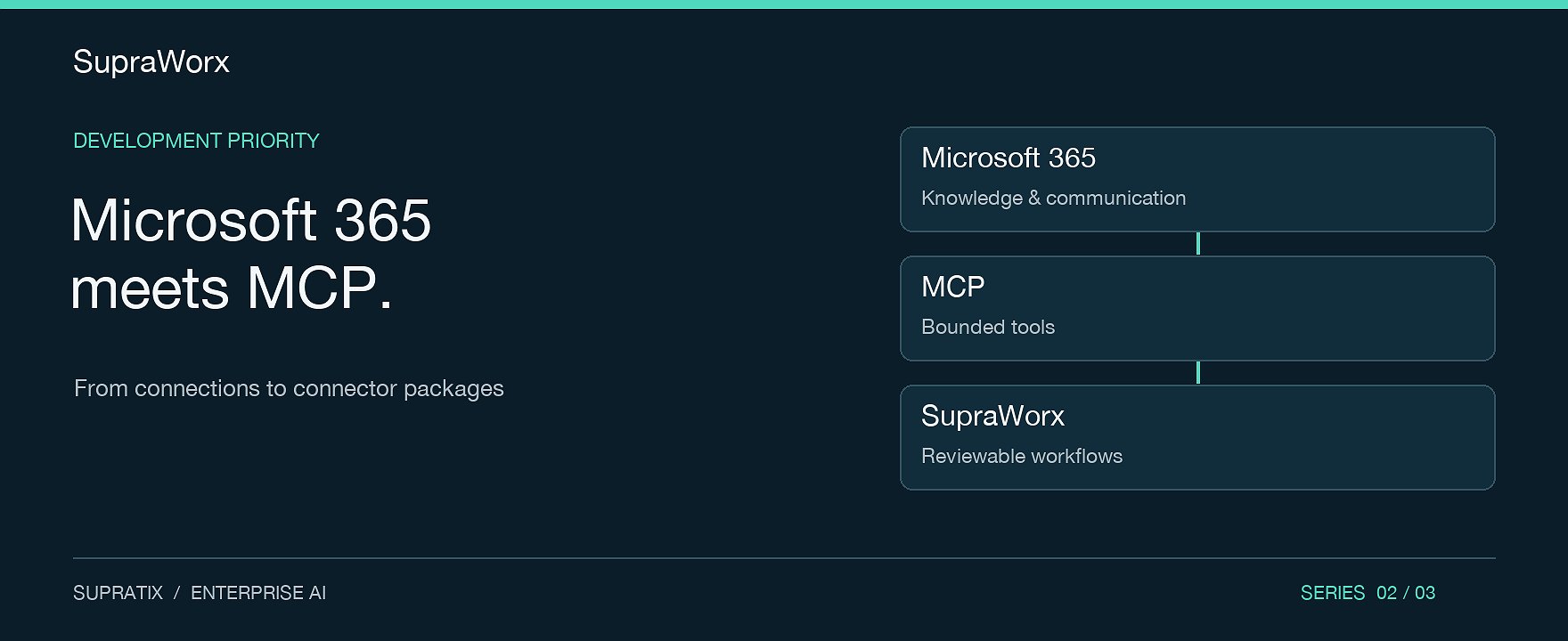
A service request arrives in Outlook, the work instruction sits in SharePoint and coordination happens in Teams. The workflow crosses several applications before anyone makes a subject-matter decision. This presents an important integration opportunity for SupraWorx: bringing enterprise knowledge and defined actions together in a traceable process.
Microsoft 365 and MCP connections therefore deserve a firm place in product prioritisation. The logical next step is standardised connector packages with an unambiguous scope. This article describes the recommended development path. It does not announce generally available SupraWorx standard packages or binding release dates.
Microsoft Graph and MCP serve different purposes
Microsoft Graph provides APIs for services such as Outlook, SharePoint, OneDrive and Teams. Access requires appropriate authentication and authorisation. The actual capabilities depend on the service and API endpoint involved. Source: Microsoft Graph overview.
The Model Context Protocol, or MCP, standardises how an AI application connects to external capabilities and context. Its architecture connects a host to servers through clients. A SupraWorx package therefore needs to specify its role explicitly: does SupraWorx consume an external MCP server, or expose its own bounded tools to another host? Source: MCP architecture.
The existence of both standards does not establish a production-ready connection. Supported actions, a permissions model, data mapping and verified failure handling must come together to form a usable package.
First stage: controlled access to knowledge
A useful initial package would provide read access to explicitly selected SharePoint and OneDrive areas. Its business task would be narrow: find approved documents, provide relevant passages with source references and make unanswered questions visible.
Acceptance testing should deliberately include negative cases. A user without access to a document must not receive its content directly or through a summary. A removed document must not continue influencing responses indefinitely through an outdated knowledge store. Where reliable evidence is missing, the answer should lead to clarification. These are requirements for the proposed package, rather than claims about completed product tests.
Second stage: communication with explicit approvals
Precisely scoped Outlook and Teams actions can build on this foundation: associate a relevant request with a case, prepare a response or suggest a status update. Each action needs a clear description of its purpose and effect. Reading, creating a draft and sending a message must be listed separately.
A sensible pilot would prepare a service response. SupraWorx receives a selected case, searches approved work instructions and creates a draft with sources. A responsible person checks the content. Sending is treated as a separate, authorised action. This allows the team to measure value before approving a broader set of actions.
What a standardised connector package should include
Capability sheet: supported services, API versions, data objects and precise read or write actions.
Setup guide: required tenant configuration, delegated or application permissions and the responsible administrator.
Data contract: required fields, source references, error codes and defined attachment and data-volume limits.
Workflow template: a reviewable process with explicit human responsibility and separate approvals.
Operations package: tests, troubleshooting guidance, version information, ownership and documented support scope.
The public .supra examples already demonstrate reusable Workbench packages with documentation and output contracts. This principle offers a suitable foundation for turning integrations into repeatable products. A workflow package alone, however, does not establish that a Microsoft 365 connector has been fully implemented. Source: SupraTix Workbench examples.
Validate the value in a pilot
Establish a baseline before starting. How long does it take to find a valid instruction? How many prepared responses need substantial correction? How often does a handover fail? Then process the same cases with the qualified package. Any claim of success should be based on those measurements and state the limits of the sample.
This makes Microsoft 365/MCP a clear product priority for SupraWorx: repeatable setup, bounded capabilities and traceable operation. Businesses gain a verifiable integration decision they can reuse across further teams and locations.
Your next step: Select a Microsoft 365 process with clear ownership and manageable data access. Discuss the right pilot scope with SupraTix.